Skip to content

The Machine · Control

Laptop

Idea stage

Updated 2026-10-20

The bridge plugged into a computer, playing a piece written in ordinary music software. Composing, rehearsing and the live sequencer start here.

Overview

Cost, roughly
About $10
Building
An hour, once the bridge is built
Difficulty
Easy
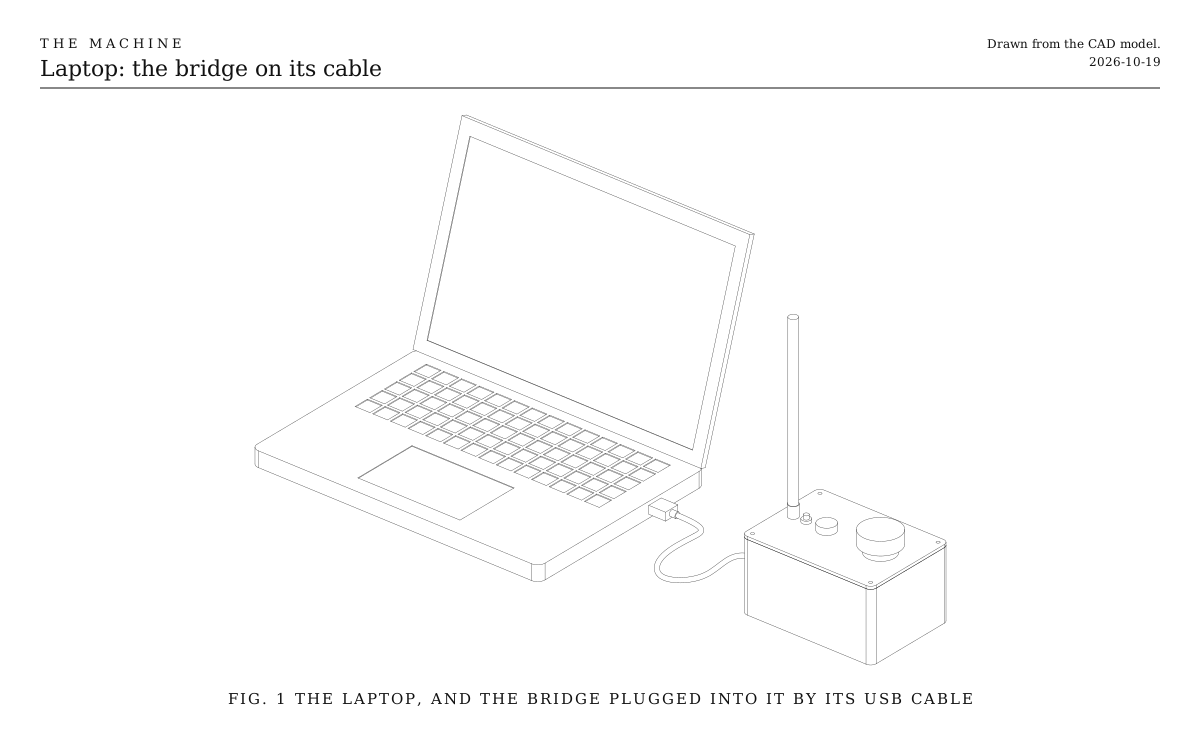
The laptop and the bridge. An open laptop with the bridge box beside it, plugged in by its USB cable. Drawn from the CAD model.
Fig. 1The laptop and the bridge. An open laptop with the bridge box beside it, plugged in by its USB cable. Drawn from the CAD model.

How it works

  • The piece is written in music software, as MIDI: one channel for each element, and notes for what it plays.
  • The bridge appears to the computer as a MIDI device on its USB cable. The software plays the bridge’s track about a second early, and the bridge sends each note that far ahead, so it lands on the beat.
  • The Conductor, The Machine’s own sequencer, does this in Chrome with nothing to set up. Each track plays one element by the names of its notes, and songs are plain files that an AI assistant can write too.
  • The bridge still keeps the clock and the safety rules. A computer that freezes leaves the last rhythms looping, and the stop button stays wired to the bridge itself.
  • Whoever runs the software is a technician: they start the piece and watch over it.

Good for

  • Writing and rehearsing, where changing a piece is editing a file.
  • The Live sequencer, which needs a computer for its internet link.
  • Pieces with more parts than a handful of buttons can hold.

Parts

Ingredients

KindPartQtyEach
FabricatedThe bridge, builtIts own recipe. The bridge keeps the clock; the computer only says what to play.1·
BoughtMusic software that sends MIDI to a deviceYour choice: see The music software1·
BoughtUSB-C cable, rated for dataThe bridge's own cable, long enough to reach from the desk to wherever the bridge sits.1$5.00
SalvagedA computer with a USB portAny laptop that runs music software.1·
Total$5.00

Choices

Decisions that are yours to make. Where we started is the version in the 3D model and the ingredients: a starting point, not the right answer.

The music software

Where is the piece written and played?

ReaperWhere we started

Inexpensive, runs on any computer, and plays MIDI out to a device with each track's timing shifted as far as you like.

Ableton Live

Built for playing live, with a grid of clips much like the Loop Grid, so a piece can be performed as well as played back. Costs more.

Logic Pro

Mac only, and strong for writing. Sends MIDI out to a device like the others.

The Conductor

Free, and runs in Chrome. Each track plays one element, by the names of its notes. It imports MIDI, previews the sound, and plays the beat early by itself, so nothing needs setting a second early. Chrome only.
Assembly

  1. 1

    Build the bridge, and plug it into the computer by the port marked USB.

    CheckThe computer lists the bridge as a MIDI device.

  2. 2

    In the music software, make one MIDI track for each element, on the MIDI channel that matches the element's number.

    TrickyMIDI has 16 channels, so this reaches elements 1 to 16. Elements with higher numbers need the bridge's show file to map them.

  3. 3

    Send every track out to the bridge, and set the bridge's tracks to play about a second early.

    TrickyWithout the early start, every note reaches the bridge a second too late to be sent ahead, and the elements skip it.

  4. 4

    Set the tempo in the software. The bridge follows it, from the next bar line.

  5. 5

    Hold activate on the bridge, then press play.

    CheckEvery element's light flicks white on the beat, and they play the piece.

Tuning

Tuning

How early the tracks play
Start at one second. If an element with a long delay, such as the Cannon, still skips notes, play the tracks earlier. If live changes feel slow to arrive, play them later, down to about half a second.
Which notes mean what
Each element decides what its note numbers do; its recipe lists them. Write a short test track for each element that plays every note once, slowly, and listen.

Variations

A small computer in the console
A Raspberry Pi tucked inside a console does the same job with no laptop on the desk, and still reaches the internet for the live sequencer.

Build log

  1. The sequencer plays the Bridge

    The Machine’s own sequencer played its first song to the Bridge, plugged into the Mac. This time the notes went out through the Mac’s MIDI from a script using the sequencer’s own timing, not from Chrome.

    • The Bridge followed. It locked to the sequencer’s beat a second ahead, went from its own 120 beats a minute to the song’s 96, and rested when the song ended.
    • All 64 of Bench Test’s notes arrived, and none were dropped. The Bridge was stopped and no element was listening, so nothing went out over the radio.
    • The Mac lists the Bridge’s MIDI port as “THE MACHINE Bridge”, not THEMACHINE, so the sequencer was looking for the wrong name. It now finds either.
    • Still to try are Chrome’s own MIDI, the Bridge activated, and an element listening.